
We’re excited to introduce GroupDocs.Markdown for .NET, a new addition to the GroupDocs product family. GroupDocs.Markdown for .NET is a document processing API that enables you to export PDF, Word, Excel, and other formats to Markdown for seamless integration with the generative AI ecosystem.
למה Markdown?
Markdown הוא קל משקל, קריא לבני אדם, ותומך ברוב רחב בתהליכי פיתוח, במערכות ניהול תוכן ובצינורות של בינה מלאכותית גנרטיבית. עם ייצוא ישיר ל‑Markdown, GroupDocs.Markdown for .NET עוזר לך:
- לאוטומט המרות מסמך‑ל‑Markdown בתוך יישומי .NET.
- להכין תוכן בטקסט פשוט ומבנה מתאים לעיבוד AI.
- לפשט הגירת תוכן לעבודה עם תהליכי Git ואתרי סטטיים.
Features
- Export multiple document formats: Convert popular file types (PDF, DOCX, XLSX, EPUB, and more) to Markdown.
- Advanced Markdown formatting: Accurately export headings, paragraphs, lists, tables, links, images, blockquotes, and code blocks.
- Flexible image handling: Export images separately or embed them directly into the Markdown file.
- Local processing: No cloud or internet connection required. All processing happens securely on your machine.
- Intuitive API design: Simple, developer-friendly API created with ease of use in mind.
- Cross-platform support: Works on Windows and Linux with both .NET and .NET Framework assemblies included in the NuGet package.
סוגי קבצים נתמכים
GroupDocs.Markdown תומך בהמרה מהפורמטים הבאים:
- קבצי PDF
- Microsoft Word (DOCX, DOC)
- Microsoft Excel (XLSX, XLS)
- ספרים אלקטרוניים (EPUB, MOBI)
- טקסט פשוט וקבצי אינטרנט
שימוש
תרחישים נפוצים לייצוא מסמכים ל‑Markdown.
יצוא PDF ל‑Markdown
Convert a PDF into clean Markdown in just a few lines of code. By default, images are embedded in the output file.
// Import the namespace
using GroupDocs.Markdown;

// Set the license (optional)
License.Set("GroupDocs.Markdown.lic");

// Instantiate the converter
var converter = new MarkdownConverter("business-plan.pdf");

// Convert and save output to file
converter.Convert("business-plan.md");
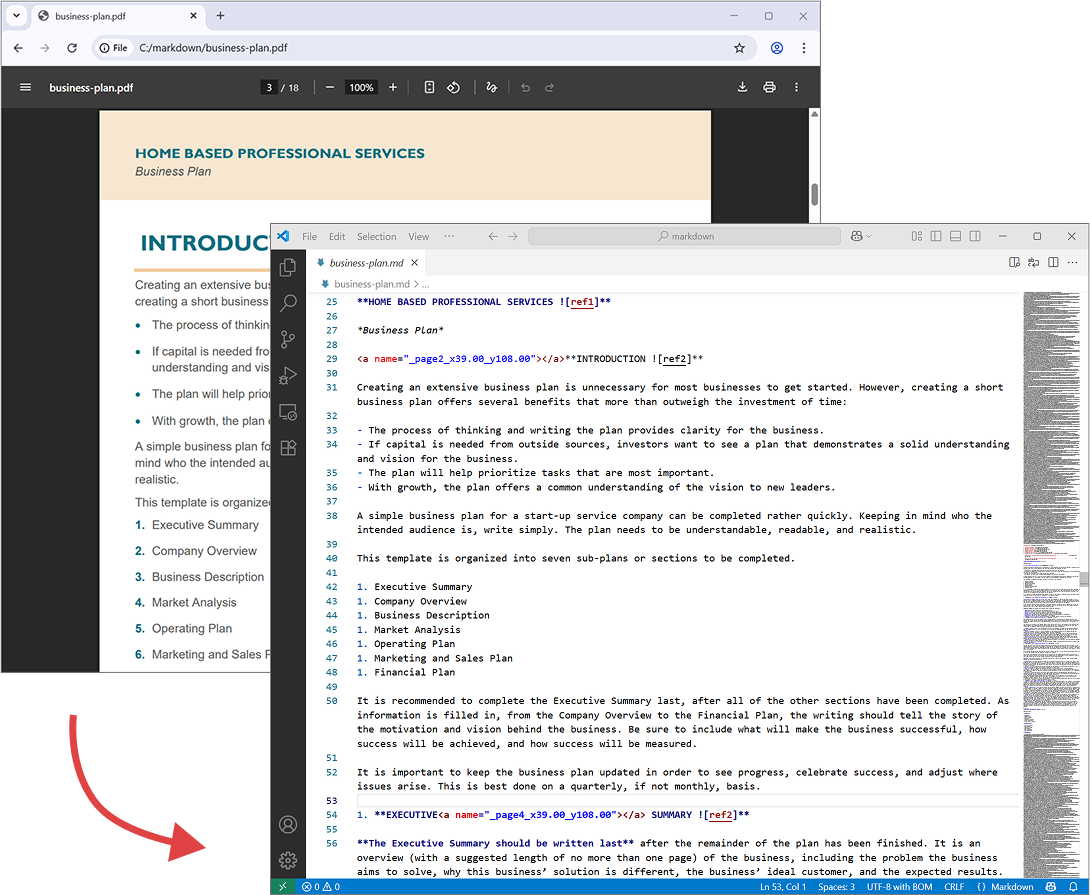
The following screenshot shows input PDF file and output Markdown.
שמירת תמונות בתיקייה
This example shows how to convert a DOCX file to Markdown while saving images to a separate folder.
// Import the namespace
using GroupDocs.Markdown;

// Set the license (optional)
License.Set("GroupDocs.Markdown.lic");

// Instantiate the converter
var converter = new MarkdownConverter("annual-review.docx");

// Set image export strategy and output folder
var convertOptions = new DocumentConverterOptions();
convertOptions.ImageExportStrategy = new ExportImagesToFileSystemStrategy("./images");

// Convert and save output to file
converter.Convert("annual-review.md");
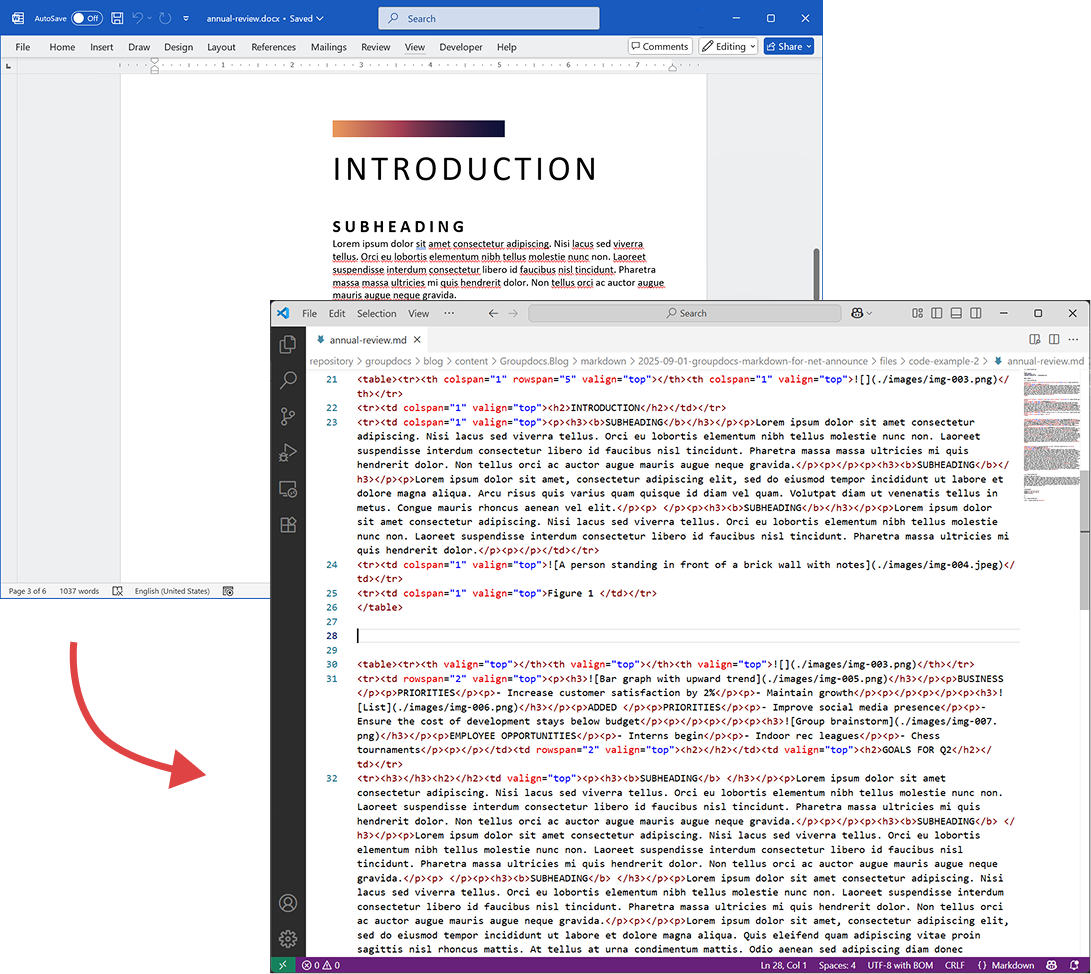
The following screenshot shows input DOCX file and output Markdown. The images are saved as a separate external resources in the ./images folder.
דרישות
- .NET Framework 4.6.2+ (Windows)
- .NET 6.0+ (Windows or Linux)
רישיון
See detailed legal information, including terms of use, copyright, EULA, and privacy policy:
https://about.groupdocs.com/legal/
תמיכה
For questions or technical assistance, please use our Free Support Forum.
מפת דרכים וזמינות
The very first version of our package is already built and going through internal testing, including unit, integration, and manual API checks. We’re making sure everything works smoothly so you can enjoy a reliable and powerful experience right from day one.
🚀 Once the final reviews are complete, we’ll release the package on NuGet and the GroupDocs Releases website.
👉 Want to be the first to know when it’s live? We’ll post a dedicated announcement here on the blog! In the meantime, you can also subscribe for updates via our Free Support Forum — check out the GroupDocs.Markdown Product Family category or the GroupDocs.Purchase category if you have sales-related questions.