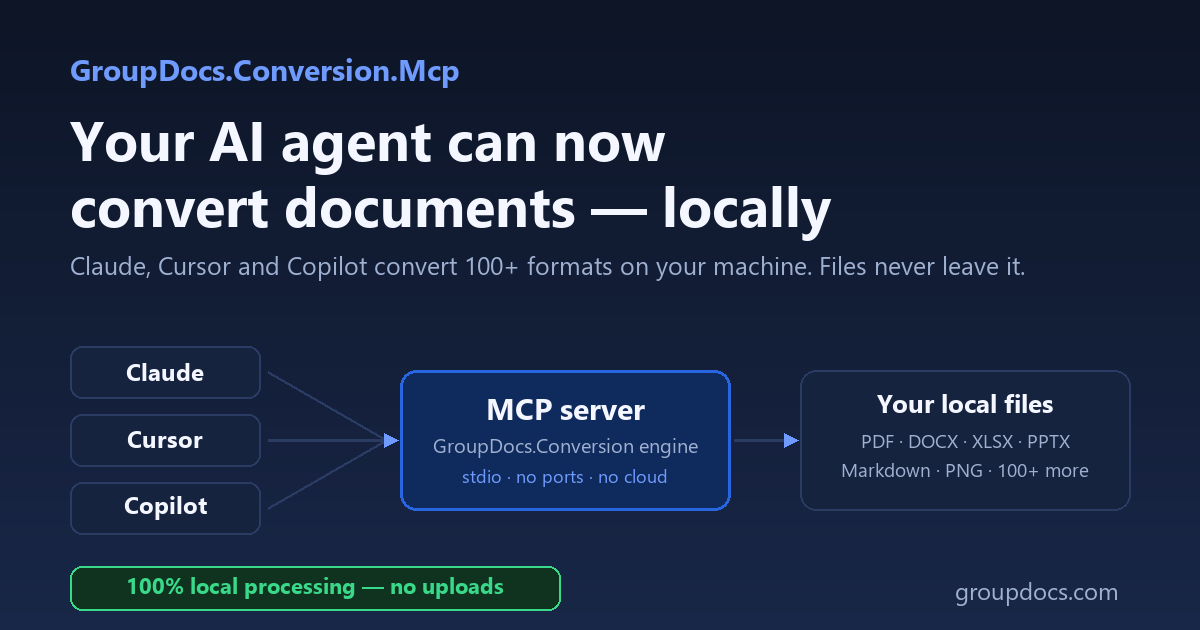
Every week, more document workflows run through AI agents. And every week, more companies discover the catch: to convert a file, most AI tools upload it to someone’s cloud. For a contract, a patient record, a design spec — that’s a non-starter.
Today we’re releasing GroupDocs.Conversion.Mcp: the conversion engine trusted by enterprise teams for over a decade, now callable by Claude, Cursor, and Copilot — running entirely on your machine.
What is MCP, in two paragraphs
The Model Context Protocol is the open standard that lets AI assistants use external tools. An MCP server exposes capabilities — in our case, document conversion — and any MCP client (Claude Desktop, Claude Code, VS Code with Copilot, Visual Studio 2022, Cursor, Windsurf, Cline, Codex CLI) can call them when you ask.
The part that matters here is the transport: our server uses MCP’s local stdio model. Your AI client starts the server as a child process on your machine and talks to it over standard input/output. No ports, no endpoints, no telemetry — your documents move between the agent’s tools and your local disk, and nowhere else.
Install in one command
dnx GroupDocs.Conversion.Mcp --yes
That’s the whole server (requires the .NET 10 SDK — or use the self-contained Docker image, amd64 + arm64). Register it in Claude Desktop by adding one block to claude_desktop_config.json:
{
  "mcpServers": {
    "groupdocs-conversion": {
      "type": "stdio",
      "command": "dnx",
      "args": ["GroupDocs.Conversion.Mcp", "--yes"],
      "env": { "GROUPDOCS_MCP_STORAGE_PATH": "/path/to/documents" }
    }
  }
}
Restart Claude, and you’re done. Every other client — and one-click install buttons, and a guided cross-platform installer that registers, configures, and verifies the setup — is covered in the getting-started docs.
What you can ask it to do
Three scenarios we see daily, each one prompt:
Finalize a folder for distribution:
Convert every DOCX in /contracts to PDF/A, keep the originals
Feed your knowledge base:
Turn this PDF into Markdown for my RAG pipeline
Headings, tables, and lists come out as real Markdown structure — the full guide shows the pattern, and the reverse direction turns agent-written Markdown back into polished PDF or Word.
Prepare previews:
Make PNG previews of these presentations
Under the hood the agent uses four tools — convert, get_supported_formats, get_document_info and get_license_status — documented in the tools reference. The agent decides what to do; the deterministic GroupDocs engine does the converting, with the rendering fidelity that generation models simply don’t have.
Licensing: your existing license already covers it
The server works in evaluation mode out of the box — install and try it right now. Your existing GroupDocs.Conversion license applies to the MCP server too: point GROUPDOCS_LICENSE_PATH at your license file and the limits lift. The server code itself is open source (MIT) on GitHub. Details: licensing docs.
Building self-hosted pipelines?
If you want the entire loop on your infrastructure — including the model — see our companion walkthrough on wiring this server into n8n with a self-hosted LLM: Agentic document conversion on-premise with n8n and MCP. The on-premise architecture page is the one to send your security reviewer.
Part of a family
Conversion is one of twelve GroupDocs MCP servers, all local-first: Viewer (render pages), Comparison (diff documents), Merger, Metadata, Watermark, Signature, Annotation, Parser (extract text/tables/metadata), Redaction, Markdown, and the all-in-one Total bundle. Same install pattern for each — browse them on the MCP Registry.
Get started
- 📘 Docs: Getting started with GroupDocs.Conversion MCP
- 💻 Source & samples: GroupDocs.Conversion.Mcp on GitHub
- 📦 NuGet: GroupDocs.Conversion.Mcp · 🐳 Docker: conversion-net-mcp
- ❓ Questions? Ask in the Conversion forum — we’re answering MCP questions daily.