روش قدیمی دردناک بود
تصور کنید یک مسئول انطباق موظف به تأیید این است که هر قرارداد در یک درایو مشترک شامل کلمه “CONFIDENTIAL” و لوگوی شرکت در هر صفحه باشد. فرآیند فعلی به این شکل است:
- باز کردن یک فایل در یک نمایشگر.
- مرور هر صفحه برای یافتن عبارت یا تصویر.
- یادداشتبرداری در یک جدولاکسل.
- تکرار برای هزاران PDF، فایل Word و ارائه.
یک واترمارک از دست رفته میتواند منجر به بازبینی پرهزینه شود و تلاش دستی به راحتی ۸ ساعت در هفته برای یک تیم کوچک را میگیرد. علاوه بر این، متن چرخیده، کلمات شکسته یا لوگوهای ذخیرهشده به صورت تصویر اغلب از چشم انسان فرار میکنند و سازمان را در معرض خطر میگذارند.
راهی بهتر وجود دارد
GroupDocs.Watermark for .NET تمام گامهای حدسی را حذف میکند. موتور فرمت‑آگنوستیک آن میتواند بیش از ۱۰۰ نوع سند را بخواند، متن، تصویر و حتی واترمارکهای استایلدار را پیدا کند و تمام متادیتای مرتبط را از طریق یک API تمیز در دسترس بگذارد. آموزش زیر نشان میدهد چگونه چند قطعه کد کوتاه، حلقه دستی را با یک جریان کاری خودکار و قابل تکرار جایگزین میکنند.
پیشنیازها
- .NET 6.0 یا بالاتر.
- بسته NuGet GroupDocs.Watermark (
dotnet add package GroupDocs.Watermark). - (اختیاری) یک لایسنس موقت – لینک در انتهای این مقاله را ببینید.
روش جدید: بررسی خودکار واترمارک
در ادامه چهار عملیات اصلی را قدم به قدم مرور میکنیم. هر بلوک یک مثال مستقل است که میتوانید در یک برنامهٔ کنسول، یک مرحله CI یا یک سرویس پسزمینه بگذارید.
گام 1 – اسکن تمام واترمارکها
اولین کار تهیه یک فهرست کامل است. متد Search() یک مجموعه برمیگرداند که هر ورودی شامل متن (یا تصویر)، موقعیت، چرخش، شماره صفحه و اندازهٔ خام تصویر است.
using (var wk = new Watermarker(filePath))
{
    var all = wk.Search();
    Console.WriteLine($"Found {all.Count} watermark(s) in " +
        $"'{Path.GetFileName(filePath)}':");
    int i = 0;
    foreach (var wm in all)
    {
        Console.WriteLine($"  #{++i}: {(wm.Text ?? "[image]")} ");
        Console.WriteLine($"     Page {wm.PageNumber}, " +
            $"Pos X={wm.X}, Y={wm.Y}, Rot={wm.RotateAngle}°");
        Console.WriteLine($"     Size {wm.Width}×{wm.Height}");
        if (wm.ImageData != null)
            Console.WriteLine($"     Image bytes {wm.ImageData.Length}");
    }
}
نکته کلیدی: این حلقه برای یک PDF معمولی ۵۰‑صفحهای کمتر از یک ثانیه اجرا میشود.
گام 2 – تأیید واترمارک متنی مورد نیاز
سیاستهای انطباق اغلب یک عبارت خاص (مثلاً “CONFIDENTIAL”) را میطلبند. TextSearchCriteria همراه با SkipUnreadableCharacters بهصورت خودکار متنهای شکسته یا چرخیده را مدیریت میکند.
using (var wk = new Watermarker(filePath))
{
    var crit = new TextSearchCriteria(expectedPhrase);
    crit.SkipUnreadableCharacters = true;   // نادیده گرفتن artefacts OCR
    var hits = wk.Search(crit);
    bool ok = hits.Count > 0;
    Console.WriteLine($"  [{(ok ? "PASS" : "FAIL")}] " +
        $"'{expectedPhrase}' found {hits.Count} time(s)");
    return ok;
}
متد زمانی که عبارت حداقل یک بار ظاهر شود true برمیگرداند و پرچم PASS/FAIL فوری میدهد.
گام 3 – تأیید لوگوی شرکت
لوگوها بهصورت تصویر رستر ذخیره میشوند و ظاهرشان ممکن است بهدلیل فشردهسازی کمی متفاوت باشد. ImageDctHashSearchCriteria یک هش ادراکی از لوگوی مرجع میسازد و آن را با تحمل تنظیمپذیر مقایسه میکند.
using (var wk = new Watermarker(filePath))
{
var crit = new ImageDctHashSearchCriteria(logoPath);
crit.MaxDifference = 0.9; // تحمل مقیاسگذاری / تغییر رنگ متوسط
var matches = wk.Search(crit);
bool ok = matches.Count > 0;
Console.WriteLine($" [{(ok ? "PASS" : "FAIL")}] " +
$"logo instances: {matches.Count}");
return ok;
}
حتی یک نسخهٔ کمرزولوشن از لوگو شناسایی میشود.
گام 4 – اجرای گزارش کامل انطباق
سیاستهای واقعی ترکیبی از چندین نیاز هستند. بلوک اول چهار قانون قالببندی را بررسی میکند — حضور متن، فونت، اندازه و استایل بولد — که هر کدام TextSearchCriteria را با TextFormattingSearchCriteria از طریق .And() ترکیب میکنند:
using (var wk = new Watermarker(filePath))
{
    int passed = 0, failed = 0;

    var txtCrit = new TextSearchCriteria(expectedPhrase);
    bool hasText = wk.Search(txtCrit).Count > 0;
    Console.WriteLine($"  [{(hasText ? "PASS" : "FAIL")}] Text present");
    if (hasText) passed++; else failed++;

    var fontCrit = new TextFormattingSearchCriteria { FontName = expFont };
    bool hasFont = wk.Search(txtCrit.And(fontCrit)).Count > 0;
    Console.WriteLine($"  [{(hasFont ? "PASS" : "FAIL")}] Font {expFont}");
    if (hasFont) passed++; else failed++;

    var sizeCrit = new TextFormattingSearchCriteria { MinFontSize = minSize };
    bool hasSize = wk.Search(txtCrit.And(sizeCrit)).Count > 0;
    Console.WriteLine($"  [{(hasSize ? "PASS" : "FAIL")}] Size >= {minSize}");
    if (hasSize) passed++; else failed++;

    var boldCrit = new TextFormattingSearchCriteria { FontBold = true };
    bool hasBold = wk.Search(txtCrit.And(boldCrit)).Count > 0;
    Console.WriteLine($"  [{(hasBold ? "PASS" : "FAIL")}] Bold formatting");
    if (hasBold) passed++; else failed++;
قانون پنجم پوشش صفحات را بررسی میکند — واترمارک باید در هر صفحه ظاهر شود. در نهایت، تصمیم نهایی تمام نتایج را جمع میکند:
    var perPage = wk.Search(txtCrit);
    var pages = new HashSet<int>();
    foreach (var wm in perPage)
        if (wm.PageNumber.HasValue) pages.Add(wm.PageNumber.Value);
    var allPages = wk.Search();
    int max = 0;
    foreach (var wm in allPages)
        max = Math.Max(max, wm.PageNumber ?? 0);
    bool full = max > 0 && pages.Count == max;
    Console.WriteLine($"  [{(full ? "PASS" : "FAIL")}] " +
        $"Pages covered {pages.Count}/{max}");
    if (full) passed++; else failed++;

    string verdict = failed == 0 ? "COMPLIANT" : "NON-COMPLIANT";
    Console.WriteLine($"\nResult: {verdict} " +
        $"({passed} passed, {failed} failed)");
}
گزارش میتواند بهصورت JSON، CSV صادر شود یا مستقیماً به یک سیستم تیکتگذاری فرستاده شود.
مقایسهٔ قبل و بعد
| بازبینی دستی | بازرسی خودکار | |
|---|---|---|
| زمان | ساعتها برای هر دسته | ثانیهها برای هر فایل |
| دقت | مستعد خطای انسانی | API تعیینپذیر |
| قابلیت مقیاس | محدود به چند سند | هزاران سند |
| کد مورد نیاز | هیچ (اما کار دستی زیاد) | حدود ۳۰ خط C# |
| خروجی | فقط بازرسی بصری | گزارش ساختار یافته PASS/FAIL |
تفاوت چشمگیر است: کاری که قبلاً یک روز کاری کامل میبرد، اکنون بهعنوان یک کار پسزمینه اجرا میشود.
مثال واقعی: کتابخانه قراردادهای حقوقی
یک شرکت حقوقی ۱۵٬۰۰۰ قرارداد را در یک پوشهٔ مشترک ذخیره میکند. سیاست آنها نیاز به عبارت “CONFIDENTIAL – CLIENT XYZ” و مهر شرکت در هر صفحه دارد. با ادغام قطعات کد بالا در یک اسکریپت PowerShell شبانه، این شرکت به دستاوردهای زیر رسید:
- ۱۰۰ ٪ شناسایی نشانههای گمشده (قبلاً ۸ ٪ از آنها نادیده گرفته میشد).
- صفر ساعت دستی صرف بازرسی شد.
- یک ردپای بازرسی در یک لیست داخلی SharePoint ذخیره شد برای مرورهای نظارتی آینده.
// مثال نقطهٔ ورود کار شبانه
var folder = @"\\fileserver\Contracts";
foreach (var pdf in Directory.GetFiles(folder, "*.pdf", SearchOption.AllDirectories))
{
// استفاده مجدد از متدهای گامهای 1‑4
ScanAll(pdf);
VerifyText(pdf, "CONFIDENTIAL – CLIENT XYZ");
VerifyLogo(pdf, @"C:\Logos\firm-seal.png");
RunReport(pdf);
}
اسکریپت بدون نظارت اجرا میشود و هر صبح خلاصهای ایمیل میکند.
دیگر چه کاری میتوانید با GroupDocs.Watermark انجام دهید؟
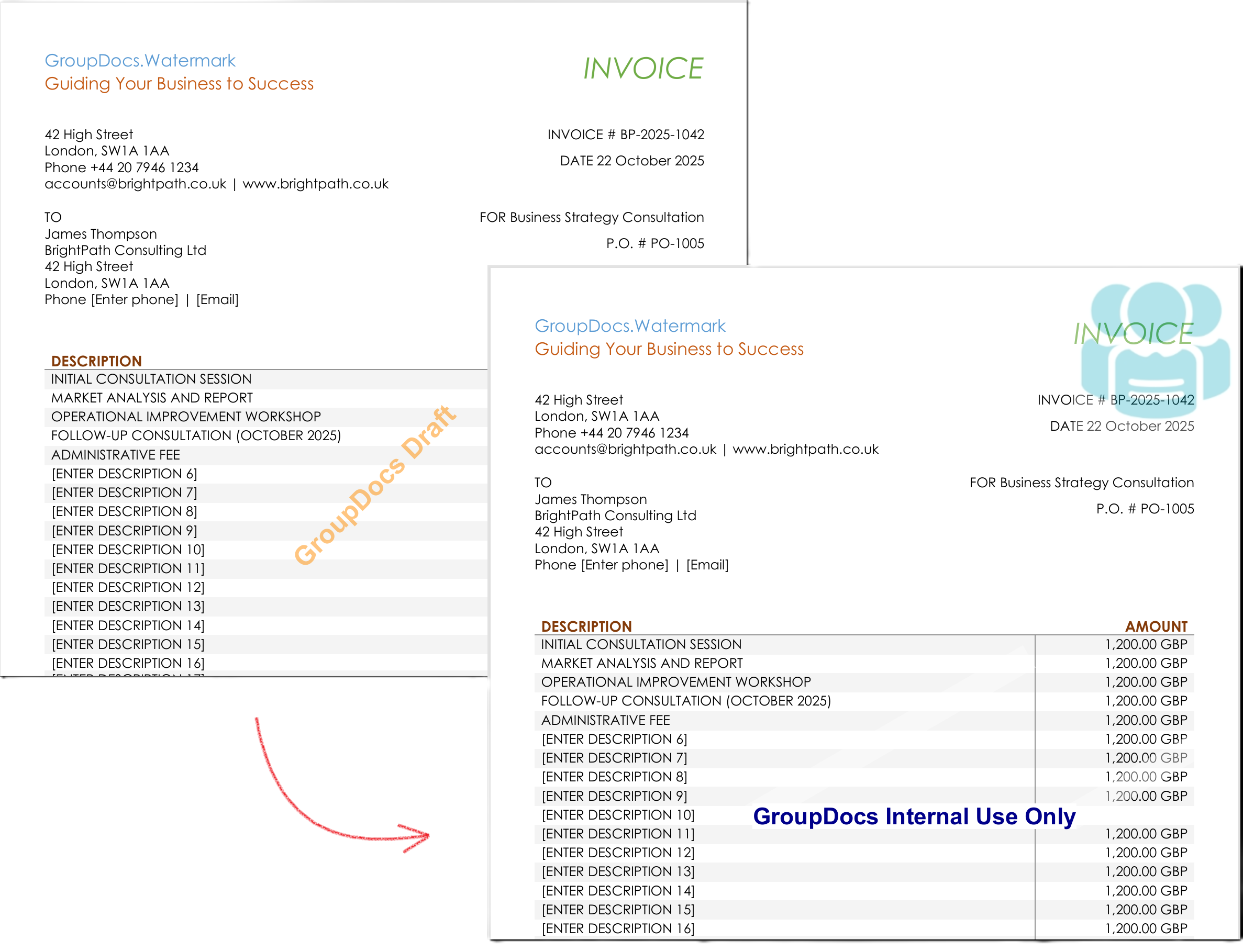
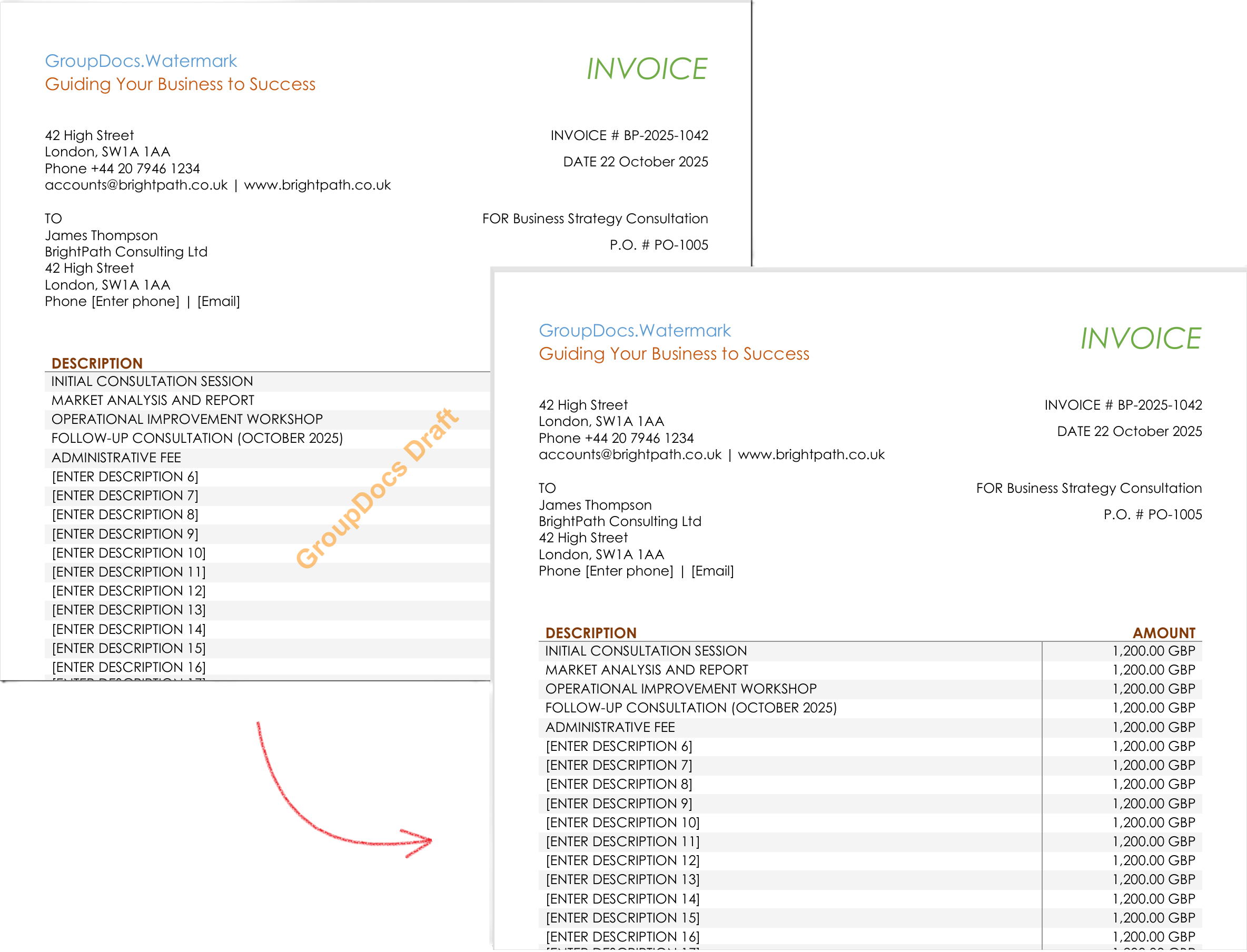
فراتر از بازرسی، پروژهٔ نمونه نشان میدهد چگونه میتوان برنامهنویسی جایگزین و حذف واترمارکها را انجام داد. تصاویر زیر هر دو عملیات را بر روی یک PDF واقعی نشان میدهند:
سناریوهای دیگر که میتوانید با همان API بسازید:
- افزودن واترمارکهای ردیابی نامرئی که یک شناسهٔ یکتا برای ردیابی نشت اطلاعات جاسازی میکند.
- جایگزینی دستهای لوگوهای قدیمی در تمام آرشیو.
- تولید گواهینامههای انطباق آمادهٔ PDF پس از بازرسی موفق.
- یکپارچهسازی با Azure Functions یا AWS Lambda برای پردازش بدون سرور.
هر سناریو از همان API هستهای استفاده میکند – فقط معیارهای جستجو یا نوع واترمارک را عوض کنید.
نتیجهگیری
کاری که قبلاً نیاز به تیمی برای ورقورق کردن صفحات، نوشتن یادداشت و ریسک از دست رفتن نشانهها داشت، اکنون به چند ثانیه کد تبدیل شده که یک گزارش PASS/FAIL قابل حسابرسی تولید میکند. با GroupDocs.Watermark for .NET شما به دست میآورید:
- دید کامل به هر واترمارک.
- تشخیص قابل اطمینان متن، متن استایلدار و لوگوها.
- گزارشگیری خودکار انطباق.
- قابلیت بهروزرسانی یا حذف برنامهنویسی واترمارکها.
آن را امتحان کنید و فرآیند انطباق واترمارک خود را از یک دردسر به یک سرویس قابل تکرار تبدیل کنید.
گامهای بعدی
- نسخه آزمایشی رایگان API – لایسنس موقت را اینجا دریافت کنید: Temp License
- مستندات کامل برای گزینههای پیشرفته را بخوانید: Docs
- مرجع API .NET برای تمام کلاسها و متدها را بررسی کنید: API Reference
- پروژهٔ نمونه را کلون کنید در GitHub تا یک برنامهٔ کنسول کامل ببینید: GitHub Samples
- سؤال بپرسید یا مورد استفادهٔ خود را در انجمن جامعه به اشتراک بگذارید: Forum