The Old Way Was Painful
Imagine a compliance officer tasked with verifying that every contract in a shared drive carries the word “CONFIDENTIAL” and the company logo on each page. The current process looks like this:
- Open a file in a viewer.
- Flip through each page looking for the phrase or image.
- Jot notes in a spreadsheet.
- Repeat for thousands of PDFs, Word files, and presentations.
A single missed watermark can trigger a costly review, and the manual effort easily exceeds 8 hours per week for a small team. Moreover, rotating text, split words, or logos saved as images often escape the human eye, leaving the organization exposed.
There’s a Better Way
GroupDocs.Watermark for .NET removes every guesswork step. Its format‑agnostic engine can read more than 100 document types, locate text, image and even styled watermarks, and expose all relevant metadata through a clean API. The following tutorial shows how a few concise snippets replace the manual loop with an automated, repeatable workflow.
Prerequisites
- .NET 6.0 or later.
- GroupDocs.Watermark NuGet package (
dotnet add package GroupDocs.Watermark). - (Optional) a temporary license – see the link at the end of this article.
The New Way: Automated Watermark Audit
Below we walk through four core operations. Each block is a self‑contained example that you can drop into a console app, a CI step, or a background service.
Step 1 – Scan Every Watermark
First we need a full inventory. The Search() method returns a collection where each entry contains text (or image), location, rotation, page number and raw image size.
using (var wk = new Watermarker(filePath))
{
    var all = wk.Search();
    Console.WriteLine($"Found {all.Count} watermark(s) in " +
        $"'{Path.GetFileName(filePath)}':");
    int i = 0;
    foreach (var wm in all)
    {
        Console.WriteLine($"  #{++i}: {(wm.Text ?? "[image]")} ");
        Console.WriteLine($"     Page {wm.PageNumber}, " +
            $"Pos X={wm.X}, Y={wm.Y}, Rot={wm.RotateAngle}°");
        Console.WriteLine($"     Size {wm.Width}×{wm.Height}");
        if (wm.ImageData != null)
            Console.WriteLine($"     Image bytes {wm.ImageData.Length}");
    }
}
Key point: The loop runs in under a second for a typical 50‑page PDF.
Step 2 – Verify Required Text Watermark
Compliance policies often demand a specific phrase (e.g., “CONFIDENTIAL”). The TextSearchCriteria with SkipUnreadableCharacters handles split or rotated text automatically.
using (var wk = new Watermarker(filePath))
{
    var crit = new TextSearchCriteria(expectedPhrase);
    crit.SkipUnreadableCharacters = true;   // ignore OCR artefacts
    var hits = wk.Search(crit);
    bool ok = hits.Count > 0;
    Console.WriteLine($"  [{(ok ? "PASS" : "FAIL")}] " +
        $"'{expectedPhrase}' found {hits.Count} time(s)");
    return ok;
}
The method returns true when the phrase appears at least once, giving you an instant PASS/FAIL flag.
Step 3 – Verify Company Logo
Logos survive as raster images, and their appearance may vary slightly due to compression. ImageDctHashSearchCriteria creates a perceptual hash of the reference logo and matches it with a configurable tolerance.
using (var wk = new Watermarker(filePath))
{
    var crit = new ImageDctHashSearchCriteria(logoPath);
    crit.MaxDifference = 0.9;   // tolerate moderate scaling / colour shift
    var matches = wk.Search(crit);
    bool ok = matches.Count > 0;
    Console.WriteLine($"  [{(ok ? "PASS" : "FAIL")}] " +
        $"logo instances: {matches.Count}");
    return ok;
}
Even a low‑resolution copy of the logo will be recognized.
Step 4 – Run a Full Compliance Report
Real-world policies combine several requirements. The first block checks four formatting rules — text presence, font, size, and bold style — each combining TextSearchCriteria with TextFormattingSearchCriteria via .And():
using (var wk = new Watermarker(filePath))
{
    int passed = 0, failed = 0;

    var txtCrit = new TextSearchCriteria(expectedPhrase);
    bool hasText = wk.Search(txtCrit).Count > 0;
    Console.WriteLine($"  [{(hasText ? "PASS" : "FAIL")}] Text present");
    if (hasText) passed++; else failed++;

    var fontCrit = new TextFormattingSearchCriteria { FontName = expFont };
    bool hasFont = wk.Search(txtCrit.And(fontCrit)).Count > 0;
    Console.WriteLine($"  [{(hasFont ? "PASS" : "FAIL")}] Font {expFont}");
    if (hasFont) passed++; else failed++;

    var sizeCrit = new TextFormattingSearchCriteria { MinFontSize = minSize };
    bool hasSize = wk.Search(txtCrit.And(sizeCrit)).Count > 0;
    Console.WriteLine($"  [{(hasSize ? "PASS" : "FAIL")}] Size >= {minSize}");
    if (hasSize) passed++; else failed++;

    var boldCrit = new TextFormattingSearchCriteria { FontBold = true };
    bool hasBold = wk.Search(txtCrit.And(boldCrit)).Count > 0;
    Console.WriteLine($"  [{(hasBold ? "PASS" : "FAIL")}] Bold formatting");
    if (hasBold) passed++; else failed++;
The fifth rule verifies page coverage — the watermark must appear on every page. Finally, the verdict aggregates all results:
    var perPage = wk.Search(txtCrit);
    var pages = new HashSet<int>();
    foreach (var wm in perPage)
        if (wm.PageNumber.HasValue) pages.Add(wm.PageNumber.Value);
    var allPages = wk.Search();
    int max = 0;
    foreach (var wm in allPages)
        max = Math.Max(max, wm.PageNumber ?? 0);
    bool full = max > 0 && pages.Count == max;
    Console.WriteLine($"  [{(full ? "PASS" : "FAIL")}] " +
        $"Pages covered {pages.Count}/{max}");
    if (full) passed++; else failed++;

    string verdict = failed == 0 ? "COMPLIANT" : "NON-COMPLIANT";
    Console.WriteLine($"\nResult: {verdict} " +
        $"({passed} passed, {failed} failed)");
}
The report is ready to be exported as JSON, CSV or fed directly into a ticketing system.
Side‑by‑Side: Before vs. After
| Manual Review | Automated Audit | |
|---|---|---|
| Time | Hours per batch | Seconds per file |
| Accuracy | Human error prone | Deterministic API |
| Scalability | Limited to a few documents | Handles thousands |
| Code required | None (but labor intensive) | ~30 lines of C# |
| Output | Visual inspection only | Structured PASS/FAIL report |
The contrast is striking: what used to occupy a full workday now runs as a background job.
Real‑World Example: Legal Contract Library
A law firm stores 15 000 contracts in a shared folder. Their policy requires the phrase “CONFIDENTIAL – CLIENT XYZ” and the firm’s seal on every page. By integrating the snippets above into a nightly PowerShell script, the firm achieved:
- 100 % detection of missing marks (previously 8 % slipped through).
- Zero manual hours spent on the audit.
- An audit trail saved to an internal SharePoint list for future regulatory reviews.
// Example of the nightly job entry point
var folder = @"\\fileserver\Contracts";
foreach (var pdf in Directory.GetFiles(folder, "*.pdf", SearchOption.AllDirectories))
{
    // reuse the methods from steps 1‑4
    ScanAll(pdf);
    VerifyText(pdf, "CONFIDENTIAL – CLIENT XYZ");
    VerifyLogo(pdf, @"C:\Logos\firm-seal.png");
    RunReport(pdf);
}
The script runs unattended and emails a summary each morning.
What Else Can You Do with GroupDocs.Watermark?
Beyond auditing, the sample project shows how to replace and remove watermarks programmatically. The screenshots below demonstrate both operations on a real PDF:
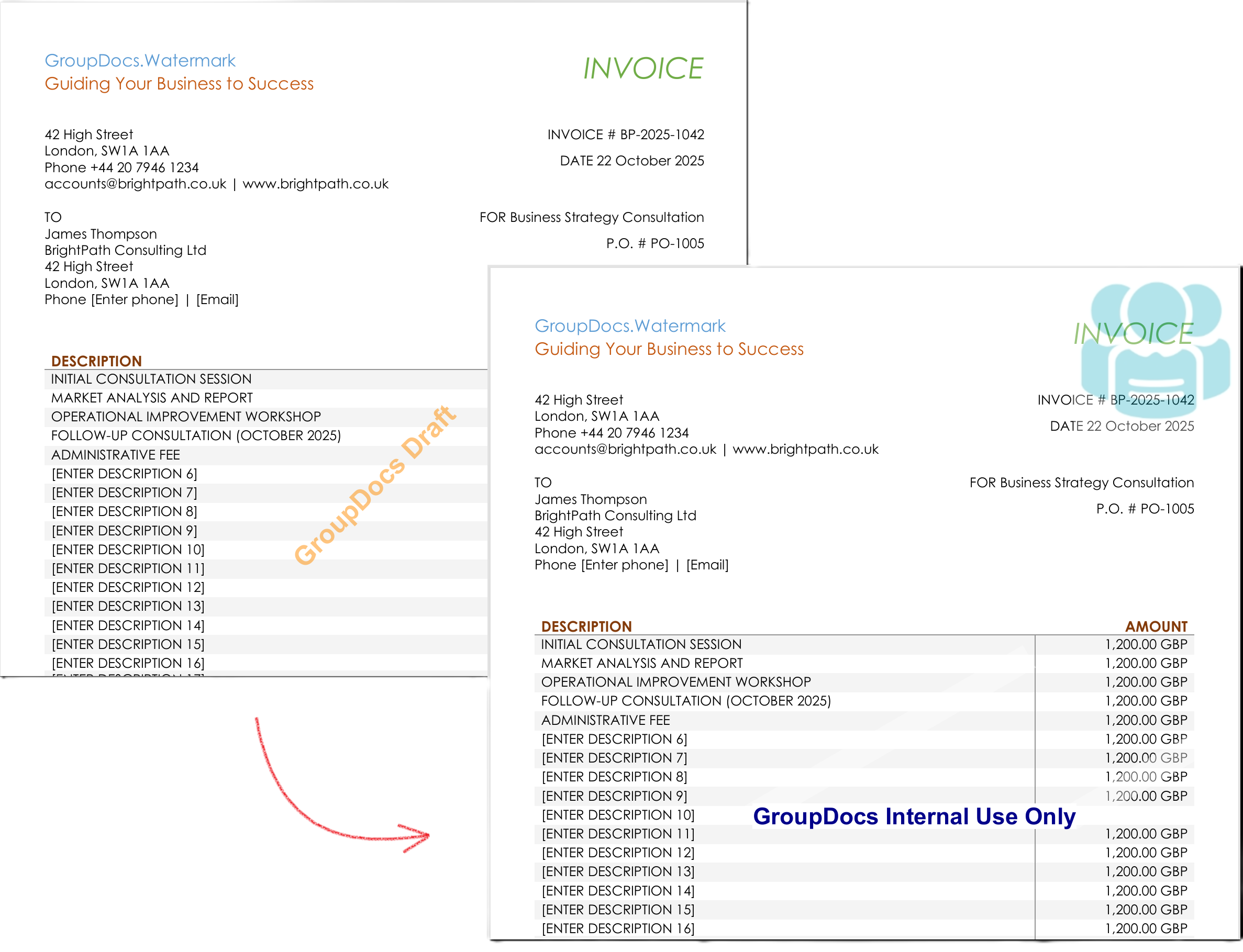
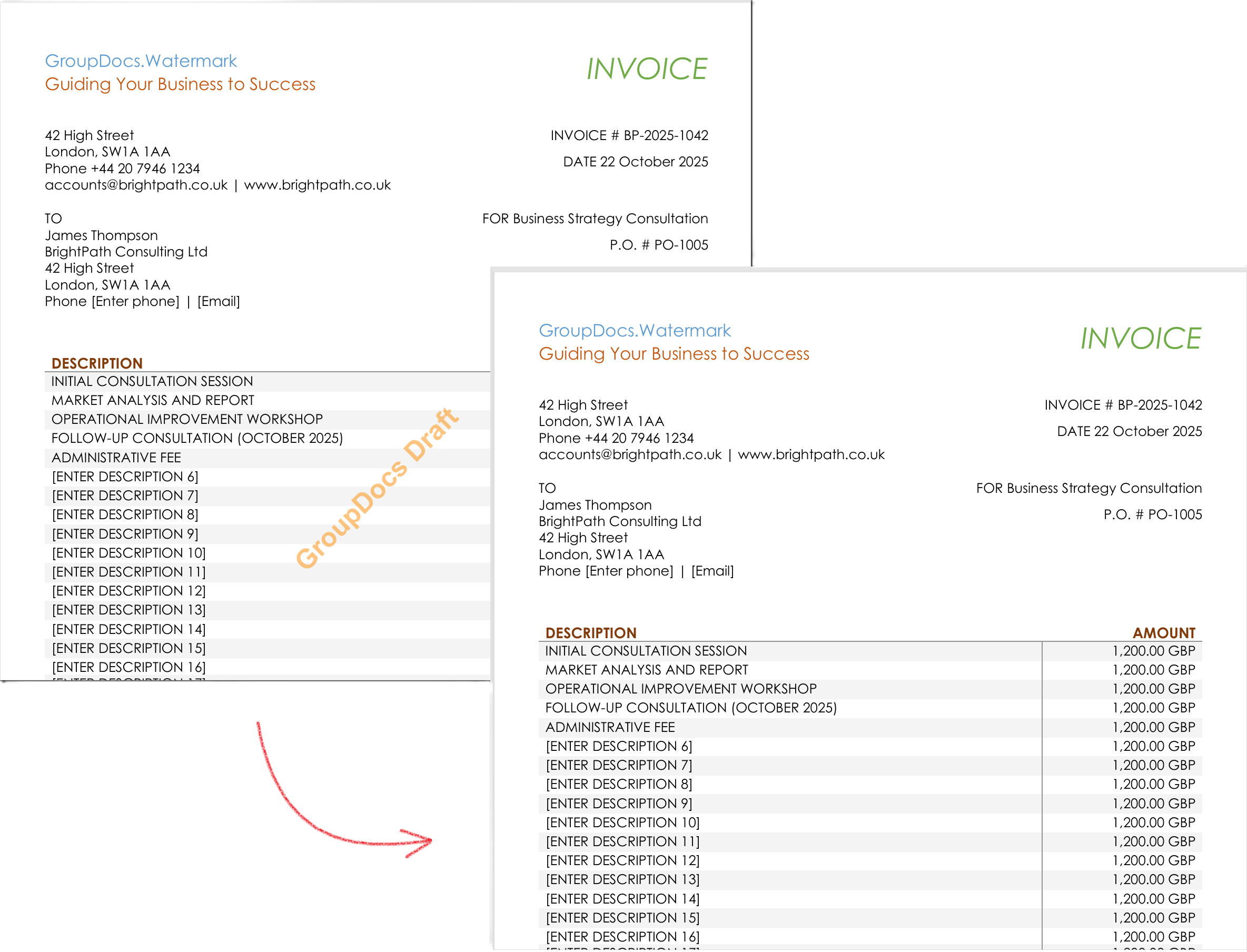
Other scenarios you can build with the same API:
- Add invisible tracking watermarks that embed a unique ID for leak tracing.
- Bulk replace outdated logos across an entire archive.
- Generate PDF‑ready compliance certificates after a successful audit.
- Integrate with Azure Functions or AWS Lambda for serverless processing.
Each scenario uses the same core API – just swap the search criteria or the watermark type.
Conclusion
What once required a team to flip through pages, write notes, and risk missed marks is now a few seconds of code that produces an auditable PASS/FAIL report. With GroupDocs.Watermark for .NET you gain:
- Full visibility of every watermark.
- Reliable detection of text, styled text and logos.
- Automatic compliance reporting.
- The ability to update or remove watermarks programmatically.
Give it a try and transform your watermark compliance process from a headache into a repeatable service.
Next Steps
- Try the free API trial – get a temporary license here: Temp License
- Read the full documentation for advanced options: Docs
- Explore the .NET API reference for all classes and methods: API Reference
- Clone the sample project on GitHub to see a complete console app: GitHub Samples
- Ask questions or share your use case on the community forum: Forum